
Texture Suite OFXs
The different approach to authentic grain and texture for your digital footage.


Grain and halation plug-ins for DaVinci Resolve that treat texture the way film does: as part of the image, not a layer on top of it.
See it, don't take my word for it
Monthly
Start with a 3-day free trial. Ideal for testing the tools in your workflow.
- 3-day free trial
- Full access to all functions
- Cancel anytime before the trial ends
- 2 seats per license
Yearly
Start with a 3-day free trial, then continue with yearly professional access.
- 3-day free trial
- Full access to all functions
- Cancel anytime before the trial ends
- 2 seats per license
Perpetual
Lifetime ownership with no recurring fees.
- No recurring fees
- Lifetime license
- Full access to all functions
- 2 seats per license
The FilmMatch Texture Suite plug-ins require a Mac running macOS 14.5 or later, together with DaVinci Resolve Studio 20 or later. The plug-ins are not supported in the free version of DaVinci Resolve.
Choose Monthly, Yearly, or Perpetual in the checkout.
Why digital grain almost never feels like film
You've probably run into this: you dial in a grain layer until it looks perfect on a blue sky or a grey wall — and the same settings are completely overpowering on skin tones. That's not a settings problem. It's a fundamental limitation of how most grain tools work: they composite noise onto the image. On film, the grain is the image.
What most plug-ins do (and why it's not enough)
A typical grain plug-in generates random noise that's statistically inspired by film, composites it over your image, and lets you adjust the strength in shadows, midtones, and highlights. The problem: those controls change how strongly the samenoise is blended in each range — they never change the noise itself. But on real film, grain appearance is density-dependent. The grain in a deep shadow isn't just weaker or stronger than the grain in a highlight — it's structurally different.
Higher-end tools like LiveGrain get closer by scanning grey charts at multiple exposures and compositing the right plate into the right luminance range. That accounts for exposure. But it still can't answer the real question:
How should grain look on a skin tone? On green foliage? On a blue sky?
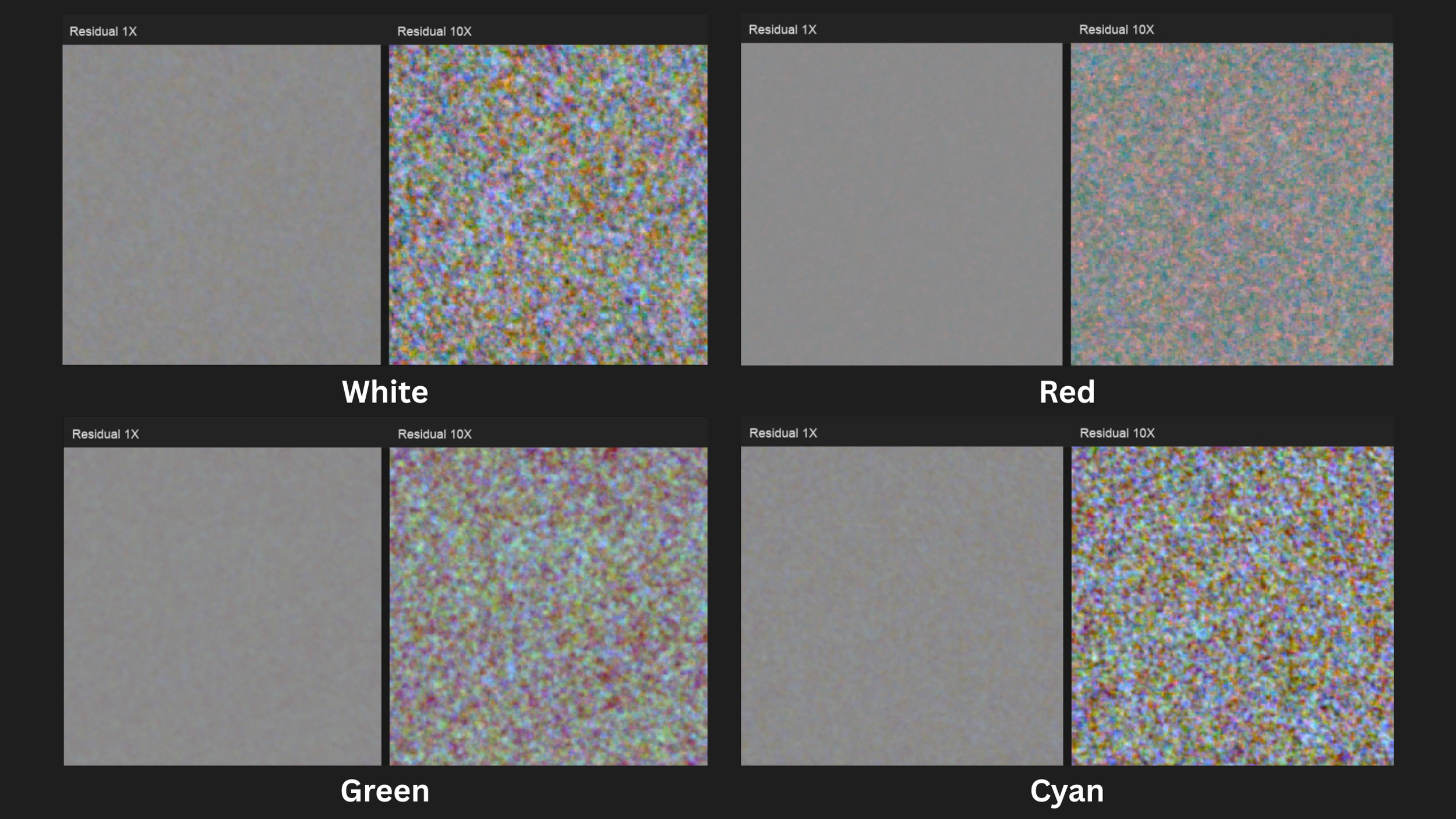
Film grain doesn't only respond to density — it responds to which dye layer of the stock was excited during exposure. Skin tones, foliage, and sky excite the three layers in different proportions, and each combination produces a different grain structure and strength. That's why a fixed grain plate — even an exposure-dependent one — looks right on a grey wall and wrong on a face.
Grain and sharpness cannot be separated
There's a second problem most tools ignore entirely. What you perceive as "grain" on film is the product of an entire optical chain — lens, emulsion, printing, scanning. If your digital image is sharper than the system that produced the grain you're compositing, the grain will never feel part of it. It reads as an overlay, because it is one.
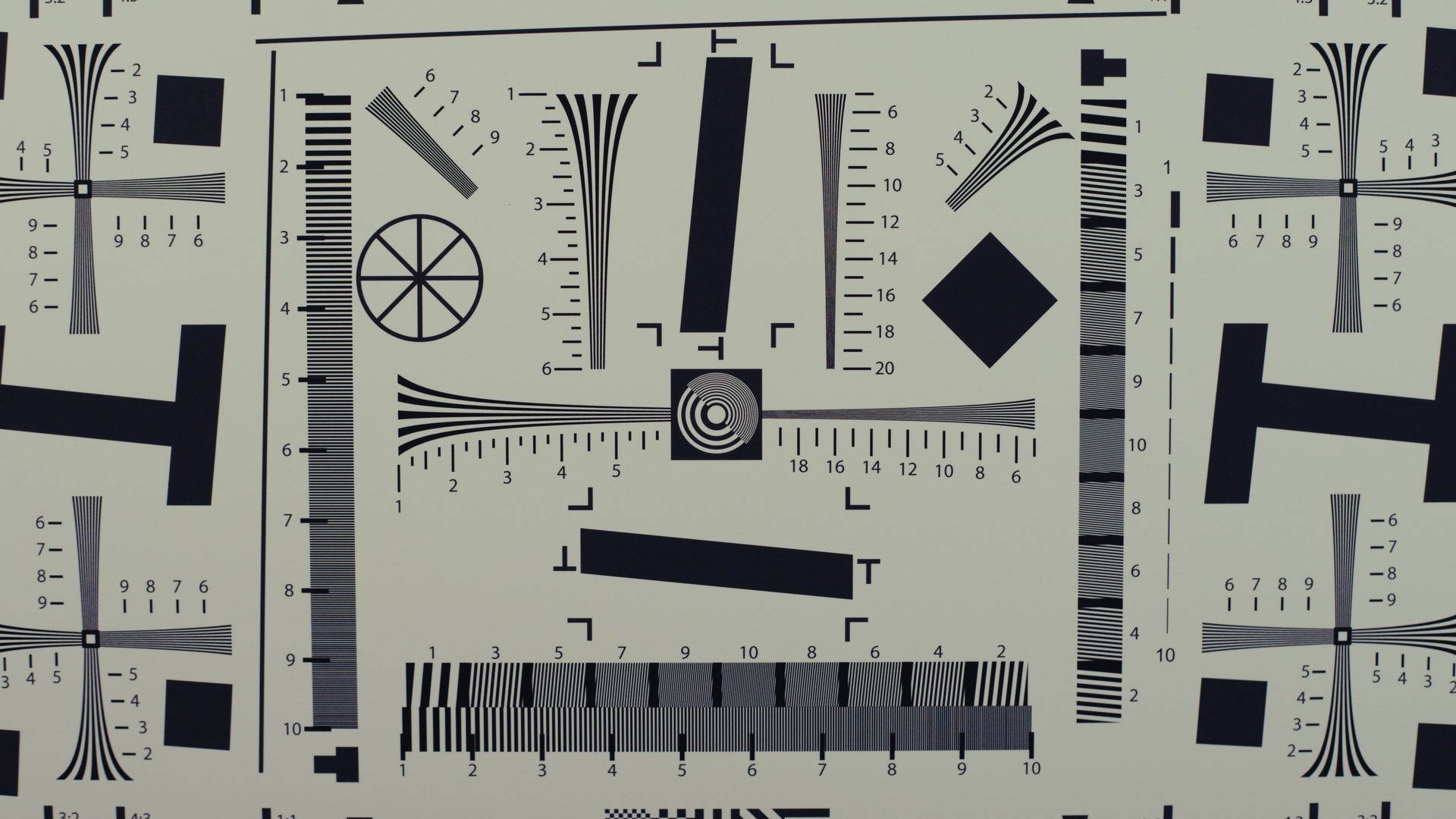
For grain to belong to the image, the image must first match the resolving power — the MTF — of the system that generated that grain.
No Grain
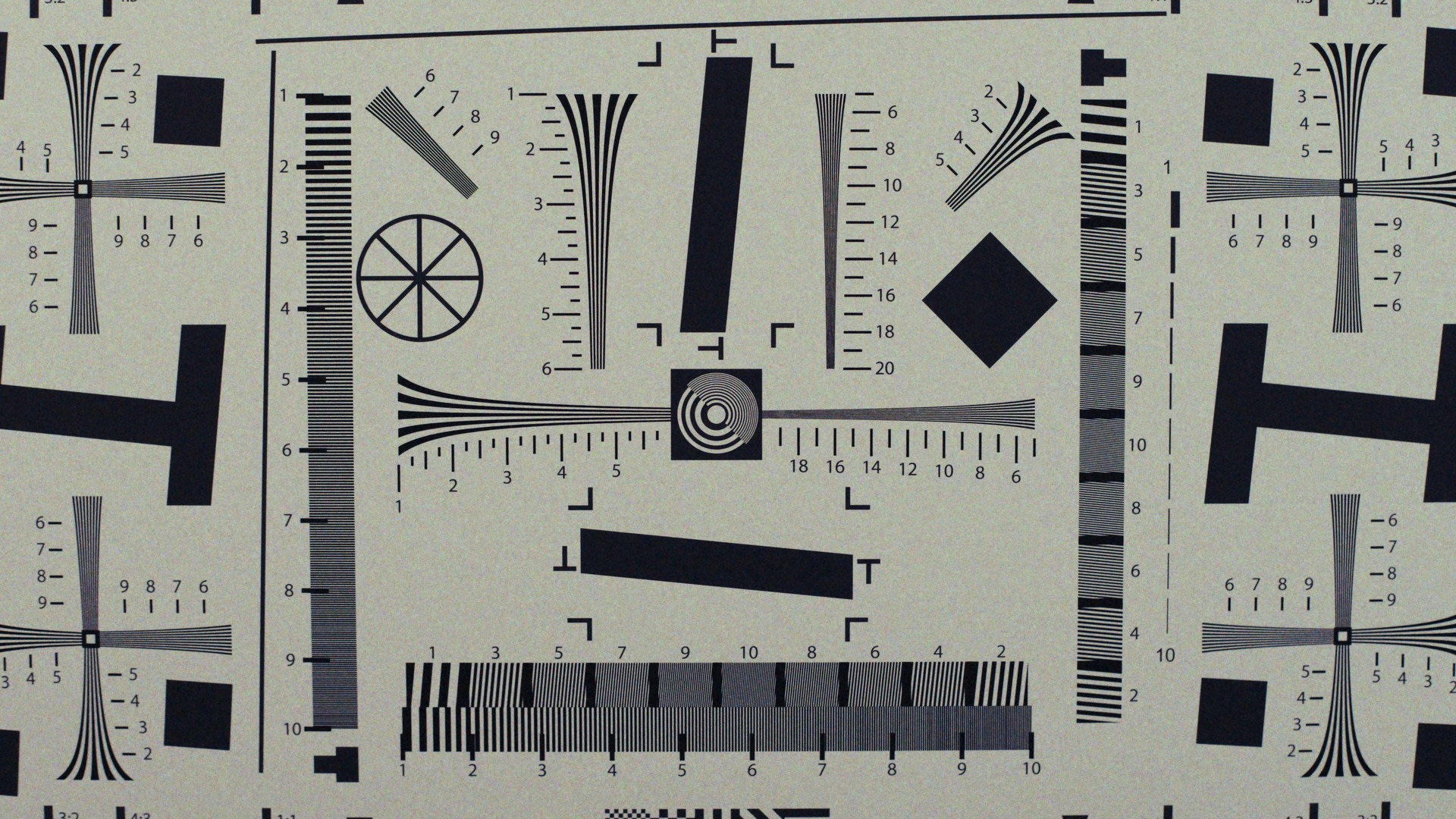
Grain No MTF
The image is sharper than the grain particles.
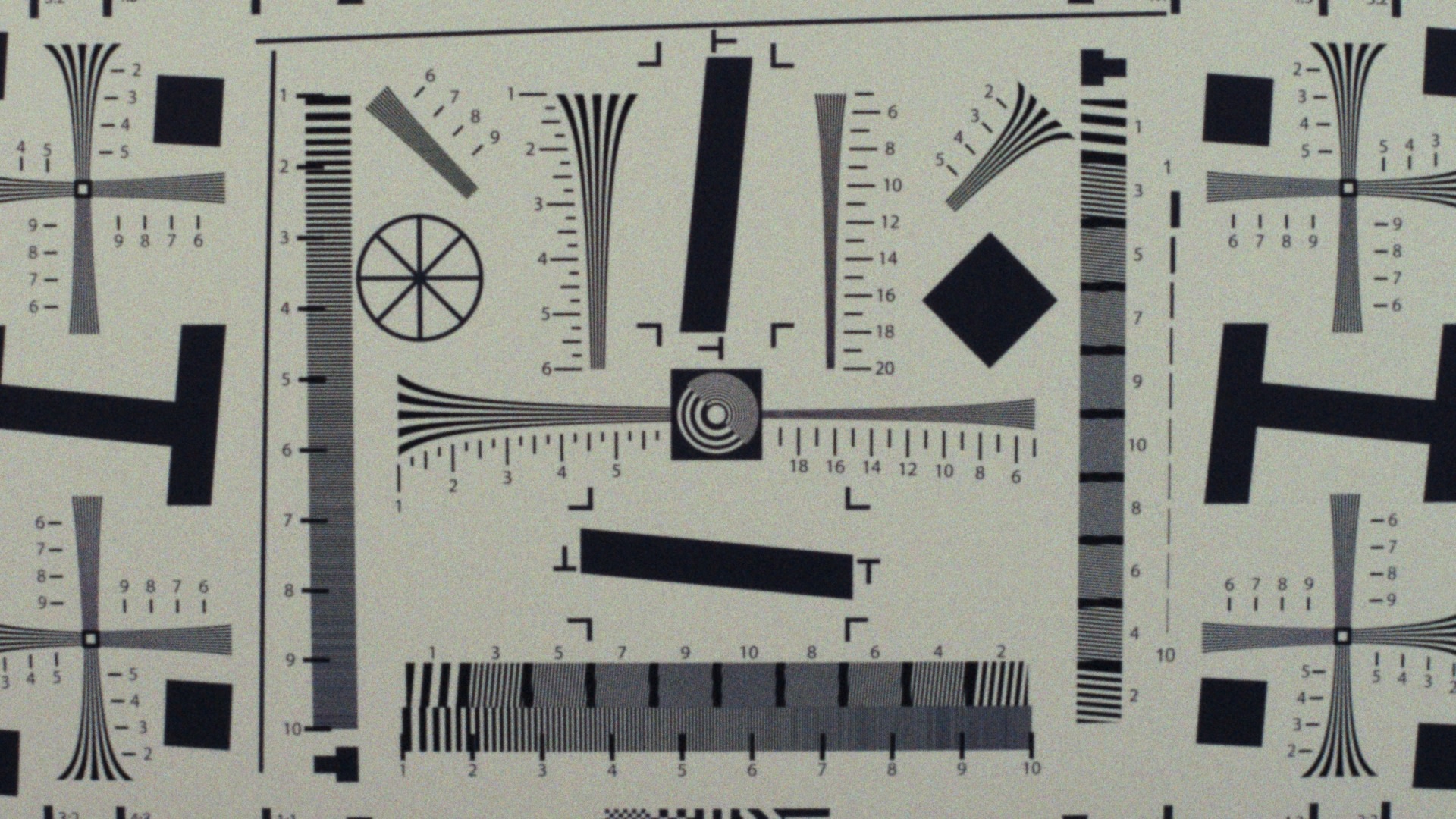
Grain & MTF
The underlying image matches the sharpness of the grain particles.
How FilmMatch Grain addresses all this
FilmMatch Grain is a real-time, procedural grain plug-in driven by two powerful components: a Grain Profile and an MTF Profile. The Grain Profile maps the exact behavior of a physical film stock across various exposures and colors, while the MTF Profile captures the resolving power of the optical system that produced it.
And the best part? The FilmMatch Texture Suite comes with the FilmMatch Analyzer, giving you the tools to measure, create, and load your very own custom profiles directly into the plug-in.
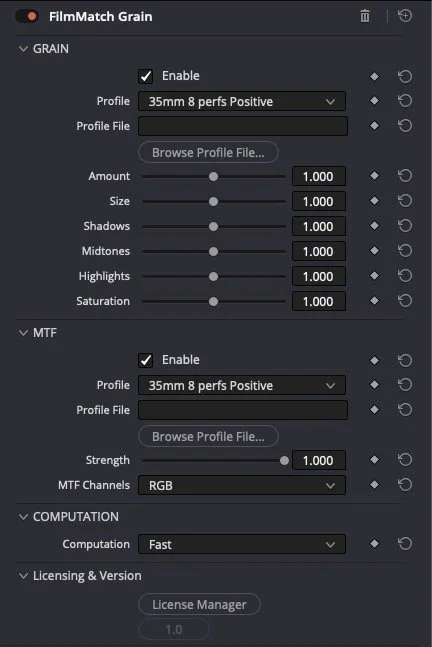
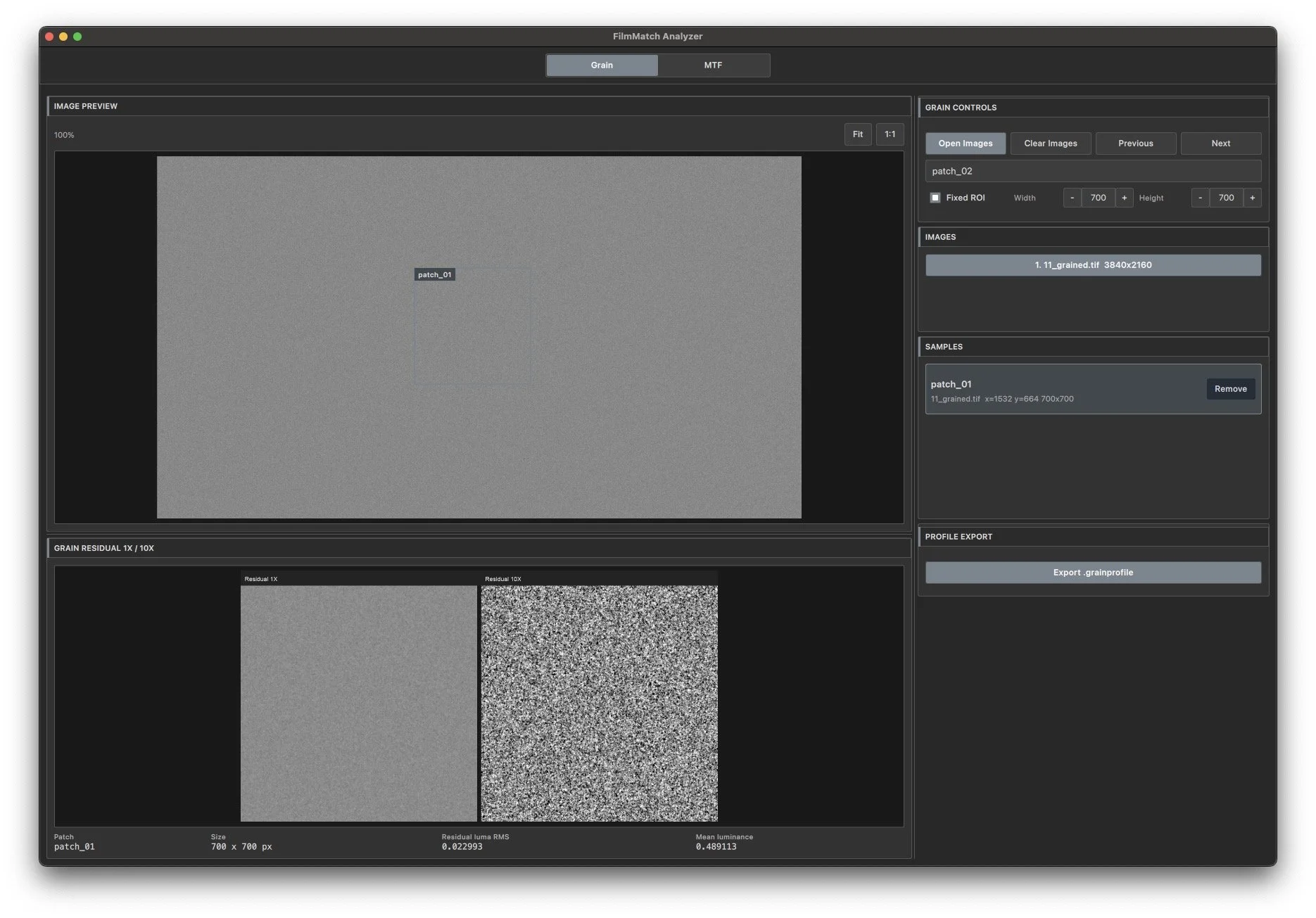
First, the Grain Analyzer evaluates a grain across a matrix of different exposures and colors. During procedural generation, the plug-in uses this data to determine exactly how the grain should behave on specific elements like a blue sky, a skin tone, or a green leaf, rather than simply masking intensity across shadows, midtones, and highlights based on luminance alone.
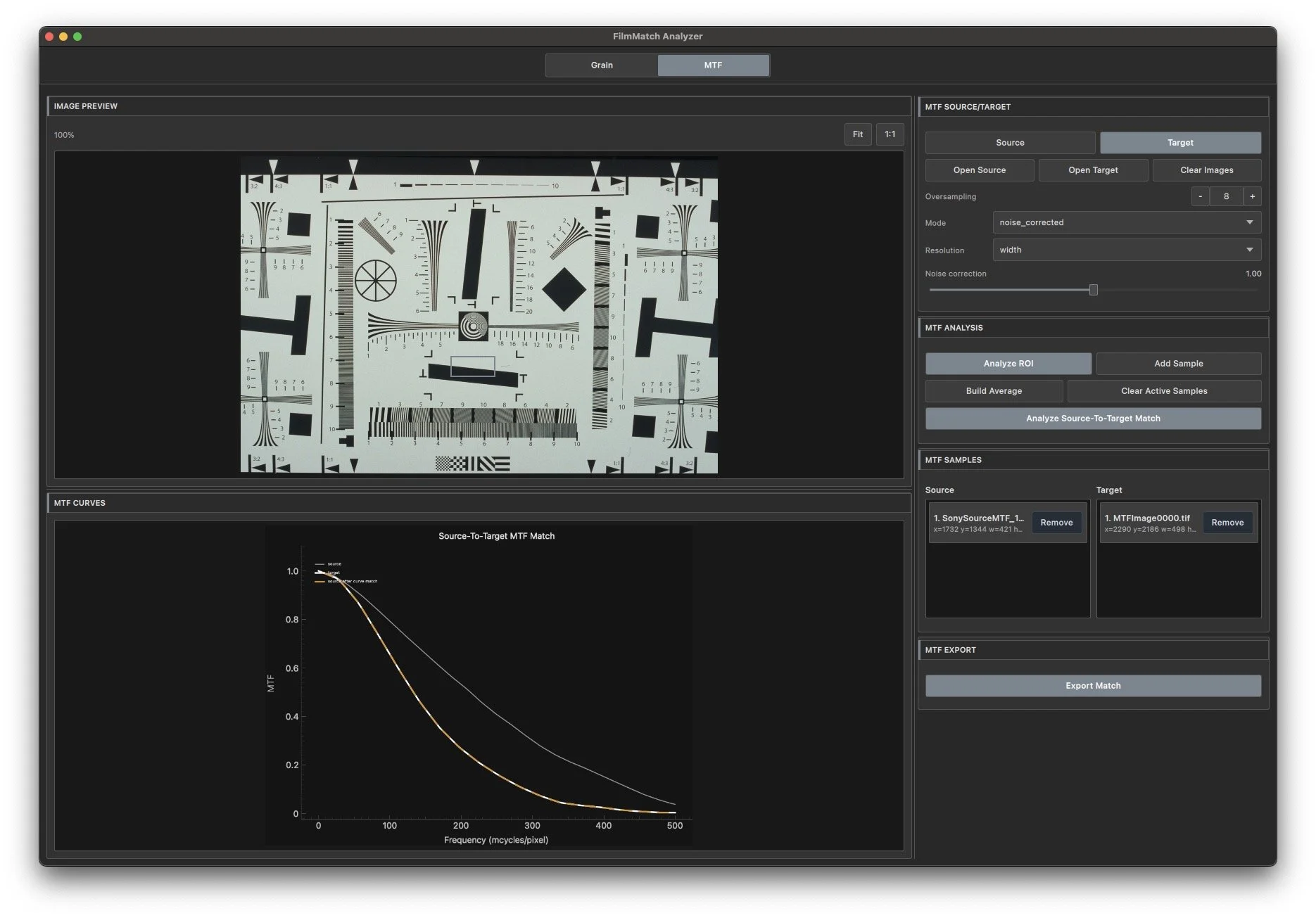
Second, the MTF Analyzer measures the Modulation Transfer Function (sharpness) of digital source and matches it to the target film stock or photochemical workflow.
During playback, FilmMatch Grain applies both profiles sequentially. The digital image is first processed through the matching MTF curve, ensuring the resolving power of the digital sensor perfectly matches the optical system of the film profile. Only after this frequency matching is complete is the film grain procedurally generated. Because the grain generation is driven directly by the color and density of the pre-matched image, the resulting texture becomes an intrinsic part of the footage rather than a superficial digital overlay.
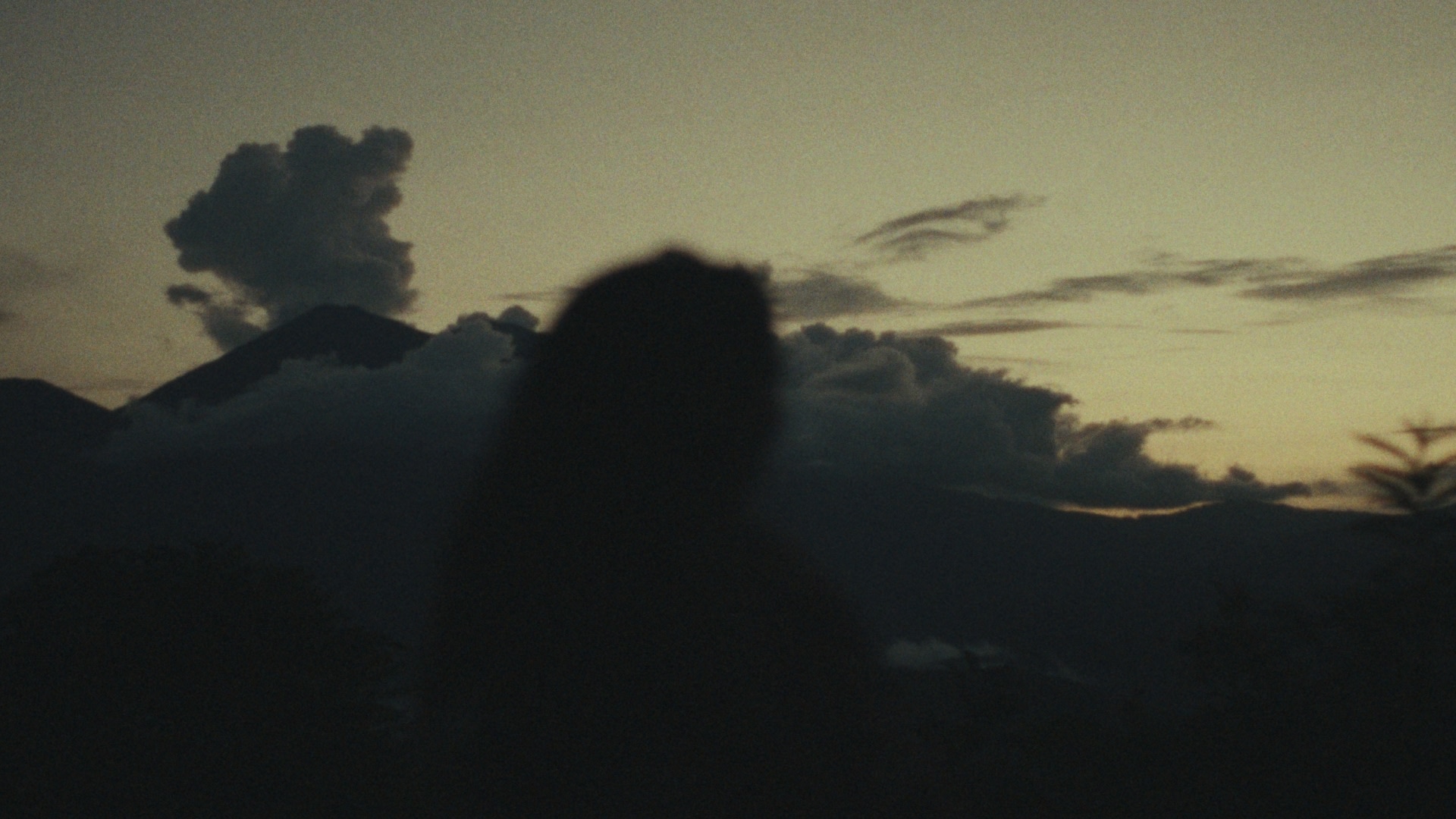
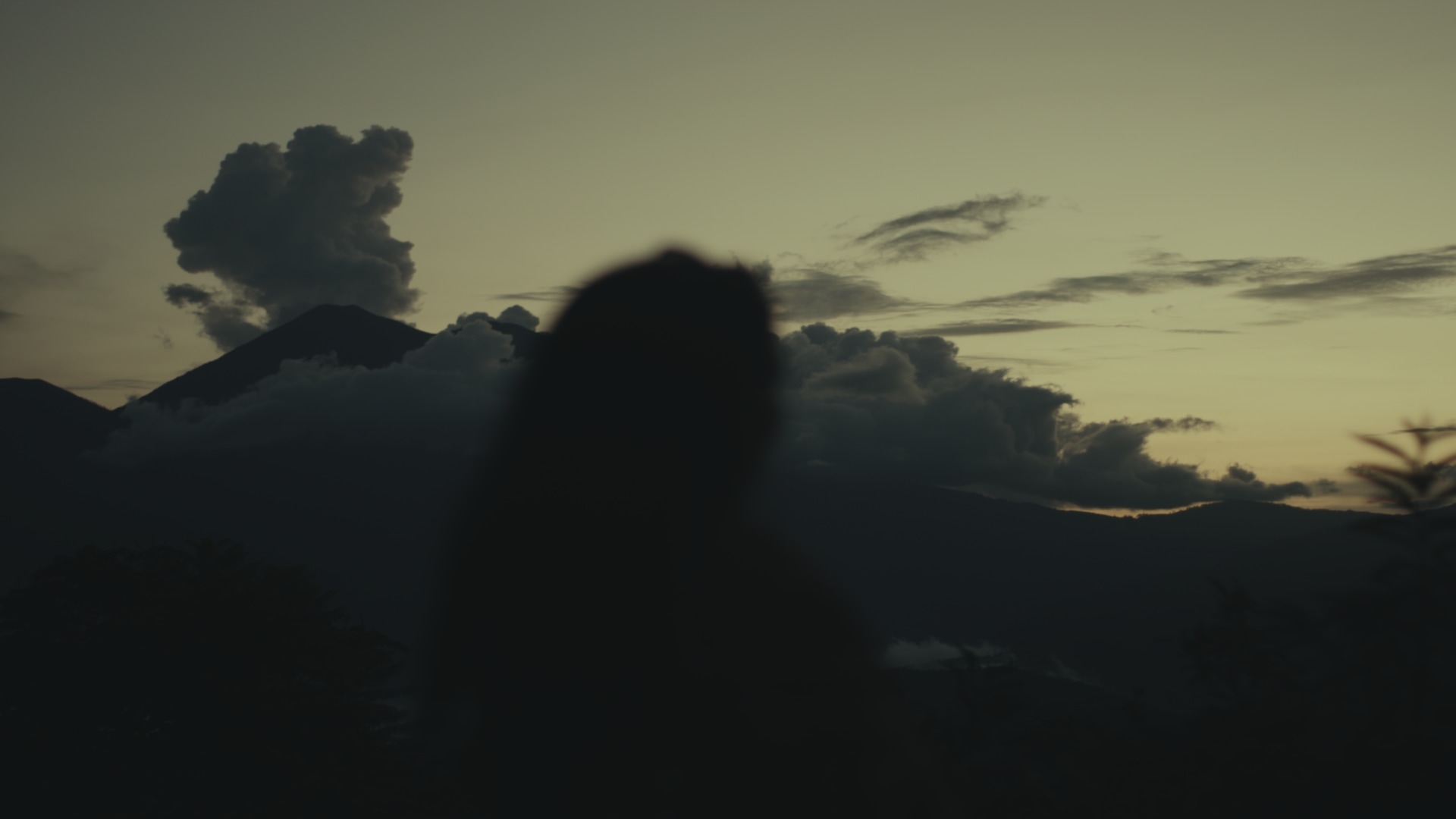 Clean
16mm Texture
Clean
16mm Texture
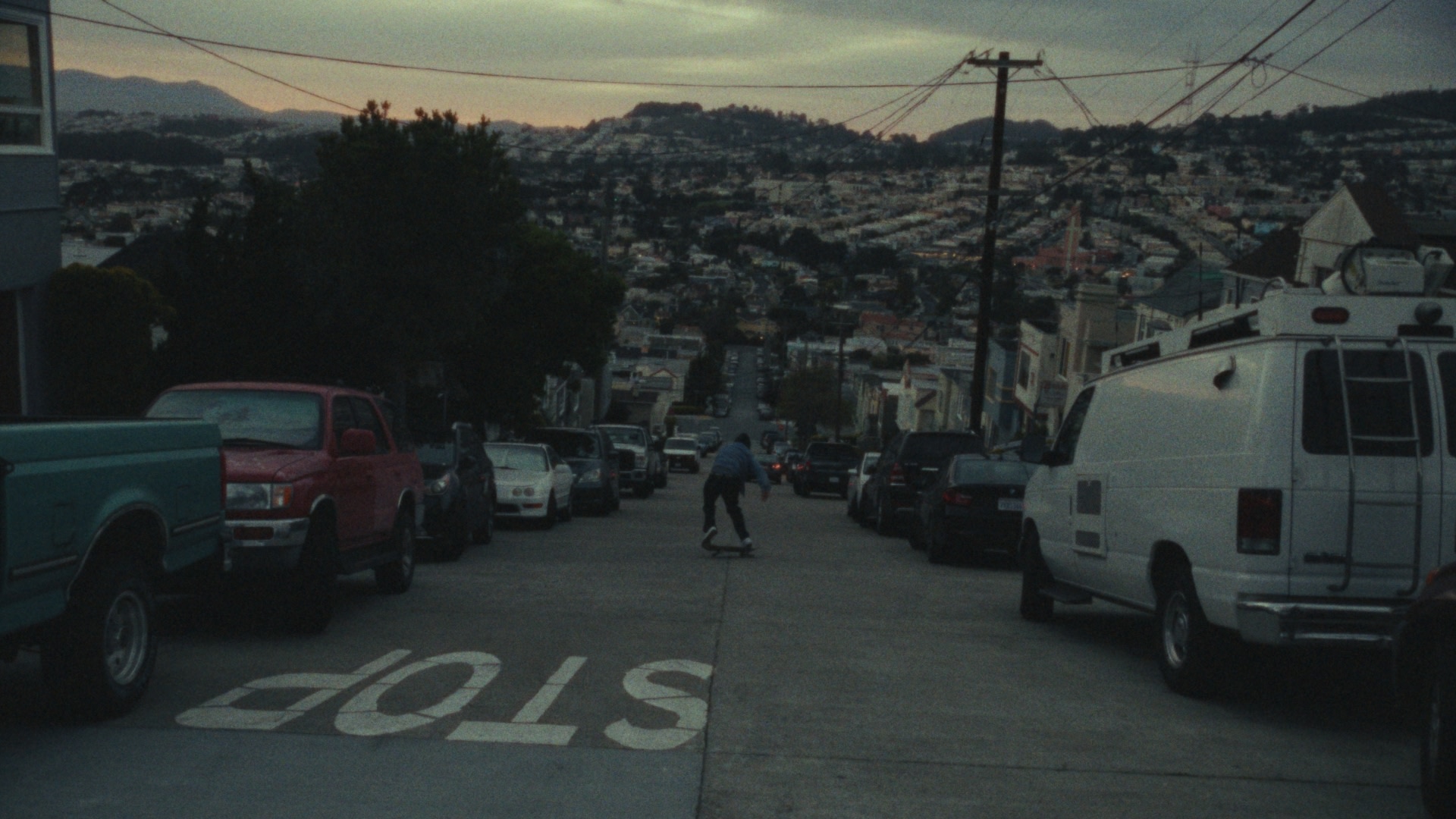
 Clean
16mm Texture
Clean
16mm Texture
 Clean
16mm Texture
Clean
16mm Texture
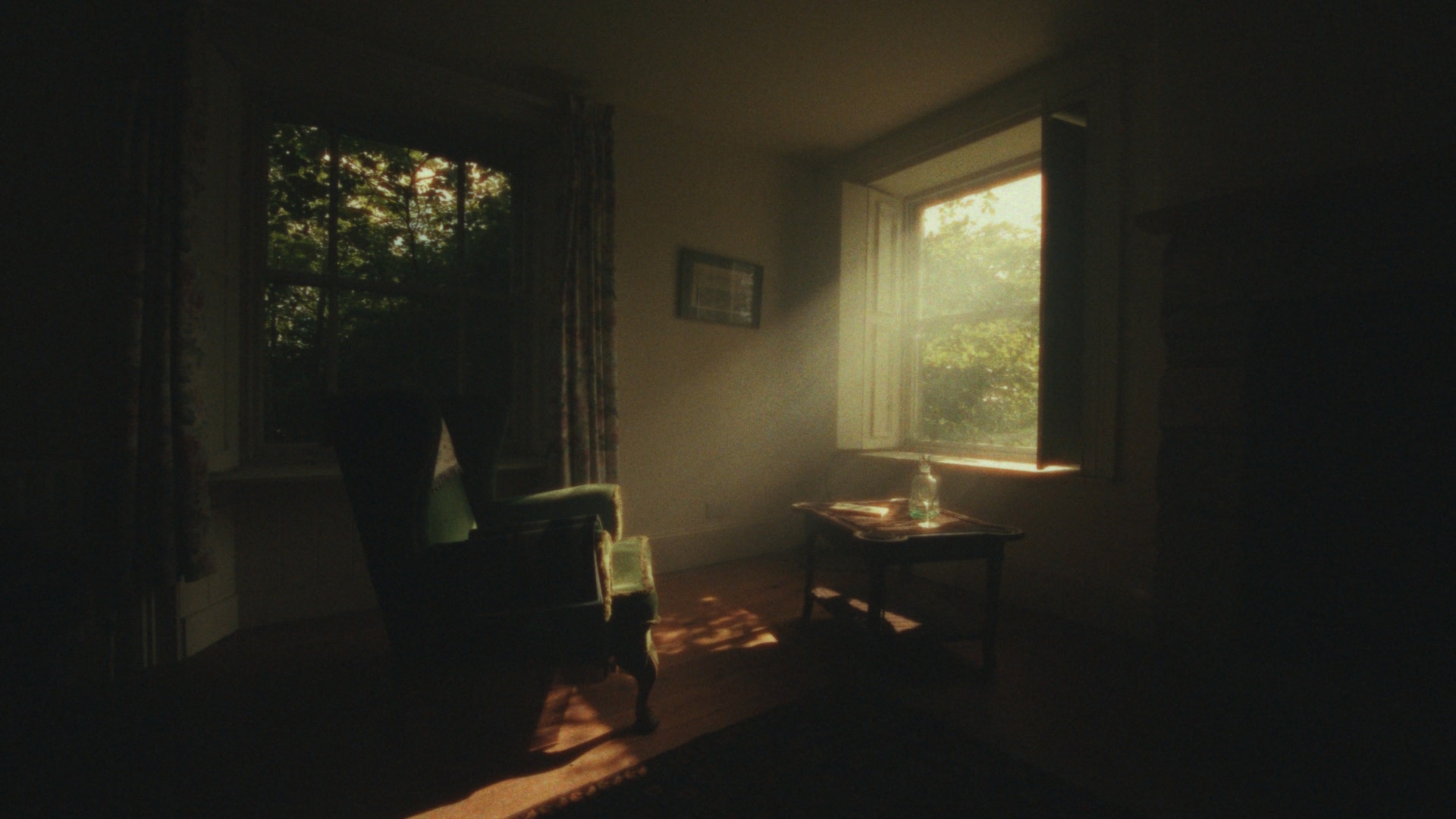
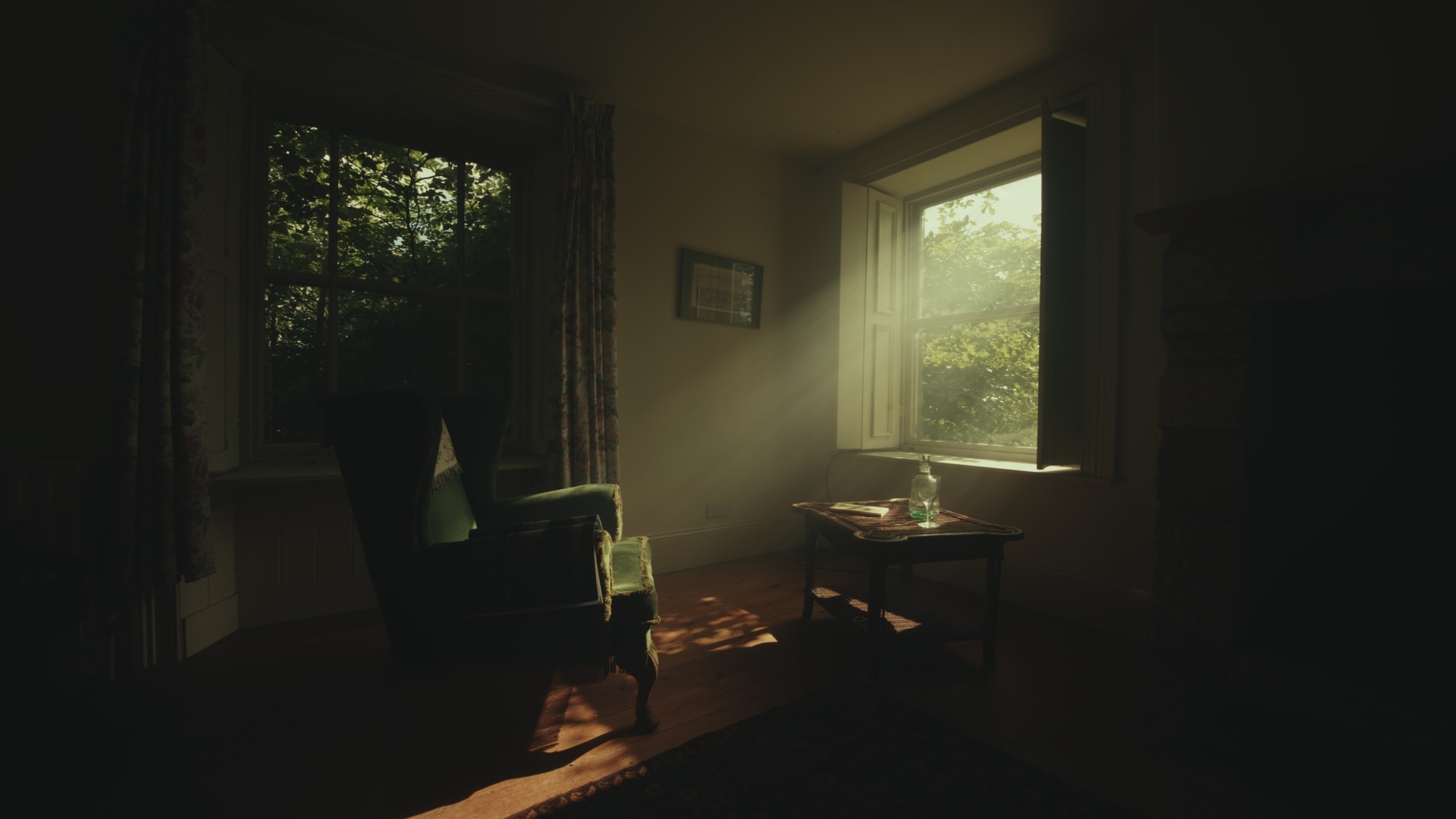
As a cherry on top: FilmMatch Texture OFXs Suite also includes a physically accurate Halation OFX.

Clean

FilmMatch Halation OFX
FilmMatch Halation OFX is a physically accurate halation plug-in designed to recreate the way halation actually happens inside motion picture film.
Instead of simulating halation as a red glow or a blurred highlight layer, FilmMatch Halation OFX models halation as a secondary exposure event. In real film, strong light can pass through the emulsion, reach the anti-halation backing or undercoat, and scatter back into the image-forming layers. This returning light exposes the film a second time, creating the warm red/orange contamination we recognize as halation.
FilmMatch Halation OFX is built around that physical process.
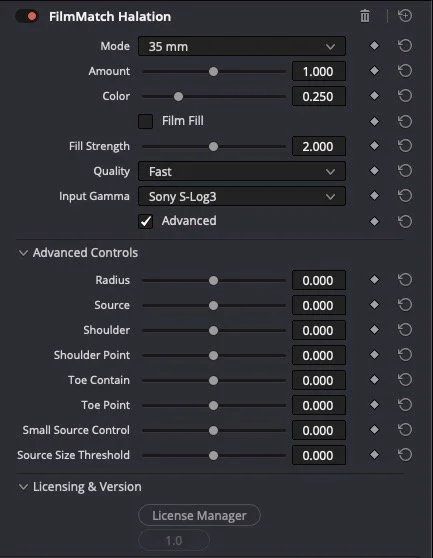
With FilmMatch Halation OFX the original image stays sharp. Only intense scene-linear highlight energy is allowed to generate halation. That energy is then scattered into nearby pixels with a natural falloff and added back as a warm red/orange exposure, recreating the way light behaves when it travels through film, reflects behind the emulsion, and exposes the image-forming layers from the back. But that’s not all!
Most digital halation effects focus on the obvious part: the red edge around bright highlights. But real film halation is not only an edge. When light scatters or reflects behind the film emulsion, it does not only create a thin red outline. It can also softly re-expose the surrounding area, creating a warm fill of secondary exposure around and under bright sources. This subtle contamination is a big part of why real film halation feels rich, organic, and photographic.That is why this plug-in includes Fill. Fill controls the part of halation that many digital tools miss: the soft reflected exposure that fills into the surrounding image, not just the sharp red fringe at the edge. At lower “Fill” values, the effect behaves more like a clean edge halo. At higher Fill values, the halation becomes fuller and more film-like, allowing strong highlights to gently contaminate nearby tones with warmth. This creates a more natural transition between the bright source, the halo, and the image around it.
You can see the effect below, I clearly exaggerated both the halation strength and I set the “fill” parameter to the max value.

Clean
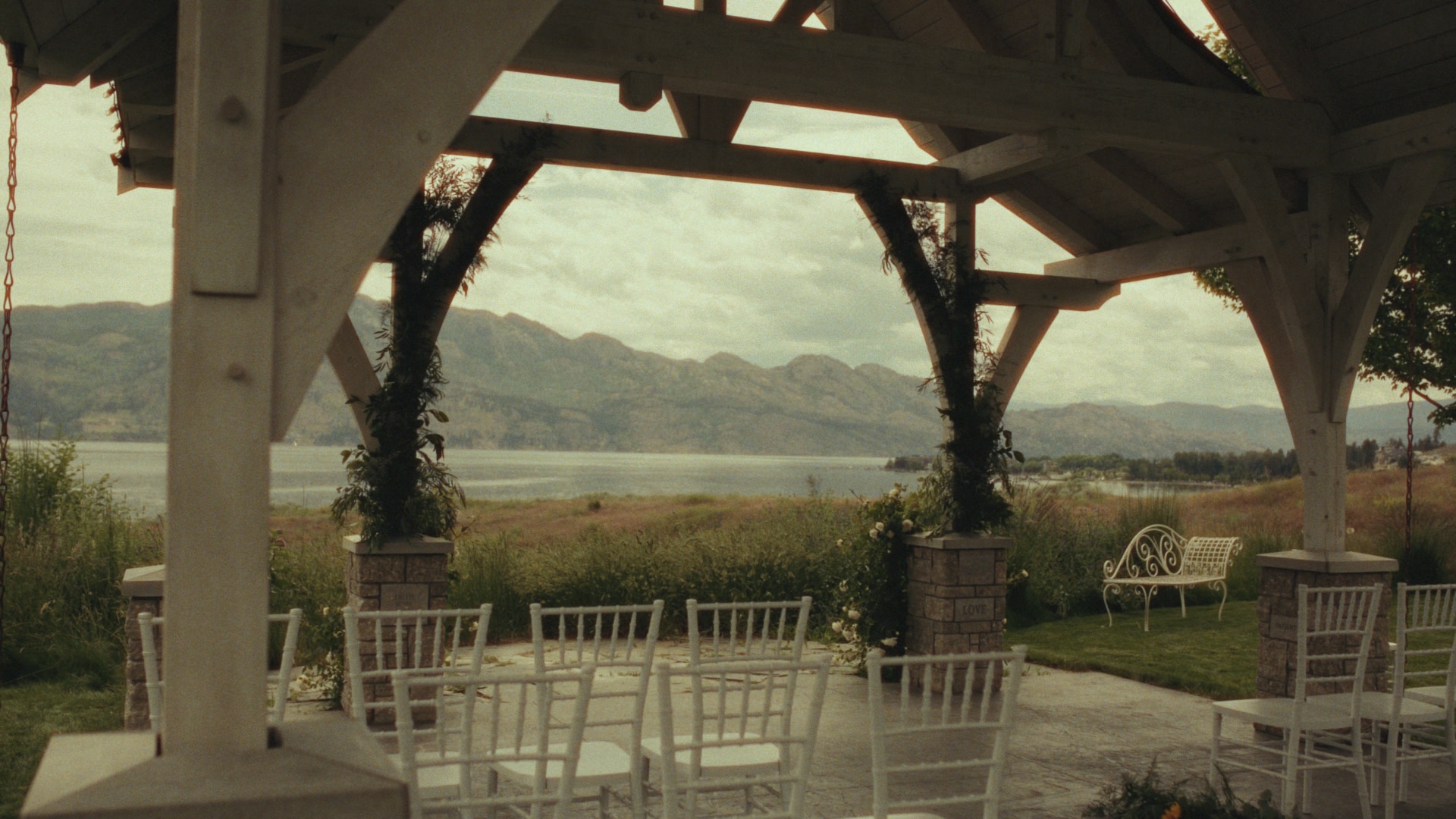
Halation No Fill
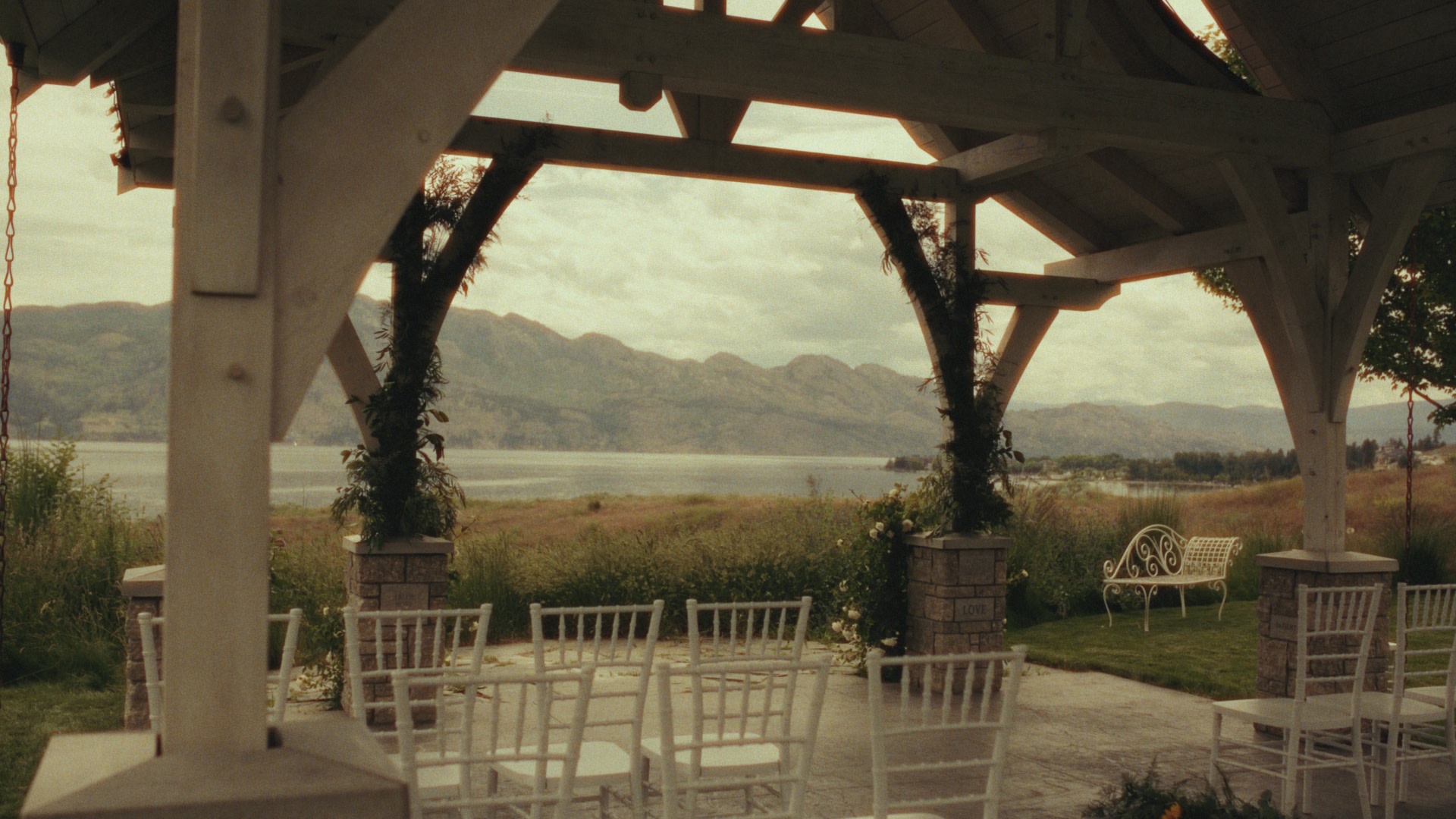
Halation with Fill
FilmMatch Analyzer
FilmMatch Analyzer is built not only to create the most organic texture for your digital footage but also for productions that need digital footage to live next to real film. For example, a production may shoot most of a project on 35mm or 16mm film, but still need a few digital shots from a B camera, drone, crash cam. Normally, matching those shots means trying to eyeball grain, sharpness, softness, and texture until the digital image feels close enough. FilmMatch Analyzer makes that process measurable. Instead of guessing, you can analyze the actual film scan and build custom profiles from it. The Grain tab lets you sample real grain from your film material and export a custom grain profile. The MTF tab lets you measure the sharpness response of your digital source and your film target, then create a source-to-target MTF match. That means the digital shot can be prepared with the same texture foundation as the film footage: matched sharpness first, then measured grain.
You can find the FilmMatch Analyzer Interactive User Guide here: https://filmmatch-analyzer-guide.pages.dev
FAQ
Which Operating Systems are supported?
The DaVinci Resolve plug-ins require an Apple Mac running macOS 14.5 or later, with DaVinci Resolve Studio. FilmMatch Analyzer also requires Apple Mac running macOS 14.5 or later
What’s included with the download?
With the download you’ll get FilmMatch Grain and FilmMatch Halation OFXs, FilmMatch Analyzer to create you own profiles (FilmMatch Analyzer doesn't require a license), FilmMatch license manager (required to install and run the license) and the .pfd guides for the OFXs and FilmMatch Analyzer
Why 2 separate OFX’s instead of combining them all in one?
Flexibility. The Halation plug-in requires the image to be either in a log or linear state. Therefore it’s best to be applied at the beginning of the pipeline. Grain OFX, based on the profile, should be applied either in the middle or at the end of the chain. If the grain and MTF profiles come from a Negative, it should be applied after a negative emulation LUT, before the print (output transform). If the profile is from a positive the effect should be applied at the end of the chain. By keeping the effects separate the user can have maximum flexibility when it comes to their specific workflow.
Which Grain Profiles are included?
Currently, FilmMatch Grain OFX includes 2 profiles: a 35mm and 16mm. Don't forget: you can always create your own custom profiles using the FilmMatch Analyzer.
Is there a Free Trial?
Yes, both the Monthly and Yearly subscriptions include a fully functional 3 days trial which you can cancel anytime before the trial ends, without being charged.
Is the Perpetual License really a one-time payment?
Yes. The Perpetual License ($189.99) gives you a permanent seat for FilmMatch OFXs. There are no recurring fees or forced subscriptions. You own the tool for life, with a 1 year of updates.
How many computers can I use my license on?
Every FilmMatch Texture Suite OFXs license includes two (2) seats. This allows you to stay flexible by having the software activated on two different computers at the same time. You can always deactivate and reactivate licenses to run the plug-ins on a new machine.